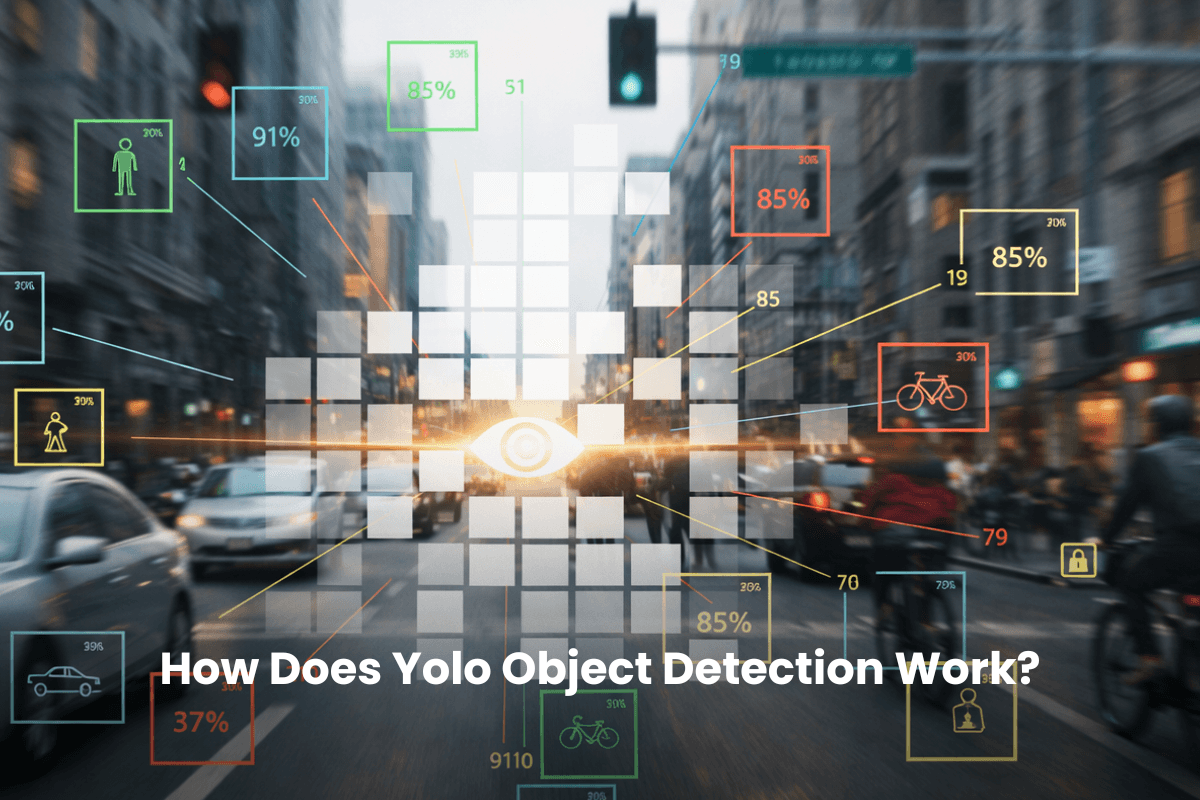
YOLO object detection is often the first model teams reach for when they need results fast.
It takes a single image, runs one forward pass, and outputs boxes, scores, and classes in real time. That simplicity is deliberate, and it’s why YOLO behaves very differently from older detection approaches.
We’ll walk through how YOLO works under the hood, from grid predictions to confidence scoring, architecture, and the trade-offs that matter in production.
Key Notes
YOLO object detection treats detection as a single regression problem in one network pass.
Predictions include boxes, objectness, and class probabilities across a dense grid.
NMS removes duplicate boxes using IoU thresholds.
YOLO architecture is typically backbone + neck + head (with multi-scale detection improving size robustness).
What YOLO Object Detection Is
YOLO (You Only Look Once) is a family of real-time object detection models built around a single-stage approach.
At a high level, YOLO takes an image and produces:
Bounding boxes for detected objects
Objectness scores (how likely a real object is in the box, plus box quality)
Class probabilities (what the object is)
That means YOLO answers the full object detection question: What objects are in this image, and where are they?
YOLO: Algorithm vs Model
You’ll see YOLO described as both an algorithm and a model.
YOLO algorithm: the original method (grid-style, single-pass detection) introduced in 2015
YOLO models: specific implementations and versions (YOLOv1 → YOLOv8+, YOLO11, etc.)
Think of it this way: The algorithm is the approach, and the models are different “builds” of that approach.
The Core Idea: How Does YOLO Work in One Pass?
Traditional detectors like R-CNN variants were historically two-stage:
Generate region proposals (candidate object locations)
Classify and refine each region
That can be accurate, but it’s heavy. In practice, it often means thousands of region evaluations per image. YOLO skips that. YOLO processes the entire image once and outputs all boxes and classes in one go.
Why “One Look” Helps
YOLO doesn’t just look at small crops in isolation. The model sees the full scene, which tends to:
reduce some false positives caused by “patch-only” context
improve coherence in predictions (especially in messy industrial scenes)
And yes, the speed payoff is real. Depending on model version and hardware, YOLO can run anywhere from 30 FPS up to 150+ FPS.
From YOLO Image to Predictions: The End-to-End Pipeline
Step 1: Input Preprocessing
YOLO expects a fixed input shape. Most modern versions use something like 640×640.
Common preprocessing steps:
Letterbox resize: preserve aspect ratio and pad the rest
Normalize pixels: typically scale to 0–1 (or apply dataset stats)
Convert to tensor: usually 1×3×H×W
Why letterbox? Because direct stretching warps object shapes and can hurt detection accuracy.
Step 2: Feature Extraction (backbone)
The backbone is a stack of convolutional blocks that turns pixels into feature maps. It’s doing the boring but essential work:
edges and textures early
shapes and parts mid-way
semantic signals later
Step 3: Multi-Scale Fusion (neck)
The neck combines feature maps at different resolutions.
This is where YOLO gets better at handling:
small objects (need high-res feature maps)
large objects (need low-res, semantic maps)
Step 4: Prediction (head)
The head outputs raw predictions across one or more feature scales.
Each prediction includes:
bounding box regression (x, y, w, h)
objectness
class probabilities
Step 5: Post-Processing
YOLO produces many overlapping candidate boxes.
Post-processing typically includes:
confidence thresholding (drop weak predictions)
Non-Maximum Suppression (NMS) to remove duplicates
Grid Logic & Spatial Responsibility
Original YOLO explained predictions using an S×S grid (like 7×7). Each cell was responsible for objects whose center fell inside the cell.
Modern YOLO still follows the same spirit, but the “grid” is effectively the feature map.
If your input is 640×640 and the feature map is 20×20 at stride 32, each cell represents roughly a 32×32 chunk of the original image.
What Gets Predicted Per Location
A classic way to describe the output is: S × S × (B·5 + C)
Where:
S×S is the grid size
B is number of boxes per cell
5 is (x, y, w, h, objectness)
C is number of classes
You can read that as: “For each location, predict a few boxes, plus class probabilities.”
Why Multiple Boxes Per Cell?
Because objects come in different shapes and sizes. Having multiple predictors per location gives the model flexibility. In anchor-based YOLO versions, those predictors are guided by anchor box priors (tall, wide, etc.).
Confidence Scoring: Objectness, Class Probabilities, Final Scores
YOLO scoring is one of the most misunderstood parts because it mixes two ideas:
“Is there an object here?”
“How good is this box?”
Objectness Score
YOLO predicts an objectness score per box. Conceptually, it’s trained to represent:
P(object) × IoU(pred, truth)
At inference time there’s no ground truth, so it becomes the model’s estimate of object presence and box quality.
Final Class Score
YOLO also predicts class probabilities, typically conditioned on an object.
The class-conditional score is:
score(class i) = objectness × P(class i | object)
That’s why a box can have a high class probability but still get filtered out if objectness is low.
Non-Maximum Suppression: How YOLO Removes Duplicate Boxes
YOLO tends to predict multiple boxes around the same object. That’s expected. NMS is the cleanup crew.
Typical IoU thresholds are in the 0.4 to 0.7 range. A common reference point is 0.5.
Why NMS Matters
Without NMS, you’ll get “ghost duplicates” where one object is detected 5 times. That breaks downstream tasks like counting, tracking, and reporting.
Where NMS Can Get Tricky
In dense scenes, NMS can suppress valid detections. Two objects close together can overlap enough that one gets dropped.
That’s one reason YOLO can struggle in crowded environments.
Most modern YOLO architectures can be described using three blocks:
Backbone
Historically, YOLO used Darknet variants. Modern versions use different backbones, but the goal stays the same: compress the image into useful features.
Neck
You’ll often see FPN or PANet-like structures here.
This matters because detection needs both:
fine detail (small objects)
high-level context (large objects)
Head
Heads operate on multiple scales (often three).
Each head outputs:
box regression
objectness
class probabilities
Multi-Scale Detection: How YOLO Finds Small, Medium & Large Objects
Multi-scale detection is YOLO’s answer to size variance. Instead of predicting at one resolution, YOLO predicts at multiple feature map sizes.
A common setup looks like:
high-resolution head for small objects
mid-resolution head for medium objects
low-resolution head for large objects
This is why modern YOLO models are far more usable in real-world scenes than early YOLOv1.
Bounding Box Parameterization and IoU
YOLO predicts bounding boxes using four values:
x, y: center coordinates
w, h: width and height
These are typically normalized and predicted as offsets relative to the grid cell (or feature map position).
x_center, y_center: box center relative to image size
width, height: box size relative to image size
Why Label Quality Is Make-Or-Break
YOLO is sensitive to label noise because:
objectness relates to IoU quality
grid assignment depends on the object center
If labels shift or are inconsistent across annotators, the model learns a messy target.
Can YOLO Training Be Faster & Cheaper?
Scale labels without scaling headcount.
Why YOLO Is Fast (& What It Trades Off)
YOLO’s speed comes from structural choices:
single-stage, single forward pass
dense predictions across the image
predictable compute (no proposal explosion)
But every speed decision comes with a trade-off:
Where YOLO Struggles & What to Use Instead
YOLO is strong, but it’s not a universal hammer.
Common Pain Points
Small object detection: tiny objects may span too few pixels
Dense overlap: crowded scenes can cause duplicate merges or NMS suppression
Pixel-level tasks: bounding boxes are not segmentation masks
Better-Fit Alternatives (By Task)
Choosing a YOLO Model Size & Deploying It
Most YOLO families offer sizes like n/s/m/l/x.
n/s: fastest, lightest, best for edge devices
m: balanced default
l/x: higher accuracy, heavier compute
Hardware Realities
If you’re aiming for real-time:
GPU matters most (CUDA-capable NVIDIA GPUs make a big difference)
VRAM limits resolution and batch size
CPU and RAM still matter for pre/post-processing and multi-stream setups
Frequently Asked Questions
Can YOLO be fine-tuned on small or custom datasets?
Yes. YOLO can be fine-tuned with surprisingly small datasets if labels are clean and representative. Many teams start with a few hundred well-annotated images and iteratively improve performance through active learning rather than collecting massive datasets upfront.
Does YOLO work on video, or only on still images?
YOLO runs on individual frames, but it works well in video pipelines when combined with frame sampling or tracking. This makes it suitable for real-time streams, inspections, and monitoring workflows where detections are aggregated across time.
How does YOLO handle new or changing object classes?
YOLO requires retraining or fine-tuning when new classes are introduced. However, incremental training with updated annotations allows teams to expand class coverage without rebuilding the model from scratch.
Is YOLO suitable for production systems, or mainly for demos?
YOLO is widely used in production environments, especially where latency and throughput matter. With proper monitoring, retraining, and data quality controls, it scales beyond demos into long-running, real-world systems.
Conclusion
YOLO object detection works because it simplifies a hard problem without dumbing it down. One forward pass, dense predictions across the image, and a clean post-processing step give teams speed without losing practical accuracy.
The grid-based structure, objectness scoring, and NMS mechanics explain why YOLO scales so well in real systems, especially when data volume and latency matter.
But the real takeaway is upstream: label quality, consistency, and throughput determine how far YOLO can go. Fast models still fail on noisy ground truth, and clean data compounds gains quickly.
If you want YOLO training to move faster, cost less, and stay reliable as datasets grow, the place to start is the labeling layer. VisionRepo is built for teams working with image and video data at scale, using AI-assisted labeling to cut annotation time, standardize labels across contributors, and surface inconsistencies before they leak into training. Get started now.








YOLO object detection is often the first model teams reach for when they need results fast.
It takes a single image, runs one forward pass, and outputs boxes, scores, and classes in real time. That simplicity is deliberate, and it’s why YOLO behaves very differently from older detection approaches.
We’ll walk through how YOLO works under the hood, from grid predictions to confidence scoring, architecture, and the trade-offs that matter in production.
Key Notes
What YOLO Object Detection Is
YOLO (You Only Look Once) is a family of real-time object detection models built around a single-stage approach.
At a high level, YOLO takes an image and produces:
That means YOLO answers the full object detection question: What objects are in this image, and where are they?
YOLO: Algorithm vs Model
You’ll see YOLO described as both an algorithm and a model.
Think of it this way:
The algorithm is the approach, and the models are different “builds” of that approach.
The Core Idea: How Does YOLO Work in One Pass?
Traditional detectors like R-CNN variants were historically two-stage:
That can be accurate, but it’s heavy. In practice, it often means thousands of region evaluations per image. YOLO skips that. YOLO processes the entire image once and outputs all boxes and classes in one go.
Why “One Look” Helps
YOLO doesn’t just look at small crops in isolation. The model sees the full scene, which tends to:
And yes, the speed payoff is real. Depending on model version and hardware, YOLO can run anywhere from 30 FPS up to 150+ FPS.
From YOLO Image to Predictions: The End-to-End Pipeline
Step 1: Input Preprocessing
YOLO expects a fixed input shape. Most modern versions use something like 640×640.
Common preprocessing steps:
Why letterbox? Because direct stretching warps object shapes and can hurt detection accuracy.
Step 2: Feature Extraction (backbone)
The backbone is a stack of convolutional blocks that turns pixels into feature maps. It’s doing the boring but essential work:
Step 3: Multi-Scale Fusion (neck)
The neck combines feature maps at different resolutions.
This is where YOLO gets better at handling:
Step 4: Prediction (head)
The head outputs raw predictions across one or more feature scales.
Each prediction includes:
Step 5: Post-Processing
YOLO produces many overlapping candidate boxes.
Post-processing typically includes:
Grid Logic & Spatial Responsibility
Original YOLO explained predictions using an S×S grid (like 7×7). Each cell was responsible for objects whose center fell inside the cell.
Modern YOLO still follows the same spirit, but the “grid” is effectively the feature map.
If your input is 640×640 and the feature map is 20×20 at stride 32, each cell represents roughly a 32×32 chunk of the original image.
What Gets Predicted Per Location
A classic way to describe the output is: S × S × (B·5 + C)
Where:
You can read that as: “For each location, predict a few boxes, plus class probabilities.”
Why Multiple Boxes Per Cell?
Because objects come in different shapes and sizes. Having multiple predictors per location gives the model flexibility. In anchor-based YOLO versions, those predictors are guided by anchor box priors (tall, wide, etc.).
Confidence Scoring: Objectness, Class Probabilities, Final Scores
YOLO scoring is one of the most misunderstood parts because it mixes two ideas:
Objectness Score
YOLO predicts an objectness score per box. Conceptually, it’s trained to represent:
P(object) × IoU(pred, truth)
At inference time there’s no ground truth, so it becomes the model’s estimate of object presence and box quality.
Final Class Score
YOLO also predicts class probabilities, typically conditioned on an object.
The class-conditional score is:
score(class i) = objectness × P(class i | object)
That’s why a box can have a high class probability but still get filtered out if objectness is low.
Non-Maximum Suppression: How YOLO Removes Duplicate Boxes
YOLO tends to predict multiple boxes around the same object. That’s expected. NMS is the cleanup crew.
Typical IoU thresholds are in the 0.4 to 0.7 range. A common reference point is 0.5.
Why NMS Matters
Without NMS, you’ll get “ghost duplicates” where one object is detected 5 times. That breaks downstream tasks like counting, tracking, and reporting.
Where NMS Can Get Tricky
In dense scenes, NMS can suppress valid detections. Two objects close together can overlap enough that one gets dropped.
That’s one reason YOLO can struggle in crowded environments.
YOLO Architecture Explained (Backbone, Neck, Head)
Most modern YOLO architectures can be described using three blocks:
Backbone
Historically, YOLO used Darknet variants. Modern versions use different backbones, but the goal stays the same: compress the image into useful features.
Neck
You’ll often see FPN or PANet-like structures here.
This matters because detection needs both:
Head
Heads operate on multiple scales (often three).
Each head outputs:
Multi-Scale Detection: How YOLO Finds Small, Medium & Large Objects
Multi-scale detection is YOLO’s answer to size variance. Instead of predicting at one resolution, YOLO predicts at multiple feature map sizes.
A common setup looks like:
This is why modern YOLO models are far more usable in real-world scenes than early YOLOv1.
Bounding Box Parameterization and IoU
YOLO predicts bounding boxes using four values:
These are typically normalized and predicted as offsets relative to the grid cell (or feature map position).
Intersection over Union (IoU)
Where IoU Shows Up
IoU matters in multiple places:
Training YOLO: What the Model Learns & What Data It Needs
YOLO training requires bounding box annotations plus class labels.
Typical YOLO Label Format
A common format is one text file per image:
Here’s what that means:
Why Label Quality Is Make-Or-Break
YOLO is sensitive to label noise because:
If labels shift or are inconsistent across annotators, the model learns a messy target.
Can YOLO Training Be Faster & Cheaper?
Scale labels without scaling headcount.
Why YOLO Is Fast (& What It Trades Off)
YOLO’s speed comes from structural choices:
But every speed decision comes with a trade-off:
Where YOLO Struggles & What to Use Instead
YOLO is strong, but it’s not a universal hammer.
Common Pain Points
Better-Fit Alternatives (By Task)
Choosing a YOLO Model Size & Deploying It
Most YOLO families offer sizes like n/s/m/l/x.
Hardware Realities
If you’re aiming for real-time:
Frequently Asked Questions
Can YOLO be fine-tuned on small or custom datasets?
Yes. YOLO can be fine-tuned with surprisingly small datasets if labels are clean and representative. Many teams start with a few hundred well-annotated images and iteratively improve performance through active learning rather than collecting massive datasets upfront.
Does YOLO work on video, or only on still images?
YOLO runs on individual frames, but it works well in video pipelines when combined with frame sampling or tracking. This makes it suitable for real-time streams, inspections, and monitoring workflows where detections are aggregated across time.
How does YOLO handle new or changing object classes?
YOLO requires retraining or fine-tuning when new classes are introduced. However, incremental training with updated annotations allows teams to expand class coverage without rebuilding the model from scratch.
Is YOLO suitable for production systems, or mainly for demos?
YOLO is widely used in production environments, especially where latency and throughput matter. With proper monitoring, retraining, and data quality controls, it scales beyond demos into long-running, real-world systems.
Conclusion
YOLO object detection works because it simplifies a hard problem without dumbing it down. One forward pass, dense predictions across the image, and a clean post-processing step give teams speed without losing practical accuracy.
The grid-based structure, objectness scoring, and NMS mechanics explain why YOLO scales so well in real systems, especially when data volume and latency matter.
But the real takeaway is upstream: label quality, consistency, and throughput determine how far YOLO can go. Fast models still fail on noisy ground truth, and clean data compounds gains quickly.
If you want YOLO training to move faster, cost less, and stay reliable as datasets grow, the place to start is the labeling layer. VisionRepo is built for teams working with image and video data at scale, using AI-assisted labeling to cut annotation time, standardize labels across contributors, and surface inconsistencies before they leak into training. Get started now.