CVAT is a capable open-source tool for image and video annotation, with strong support for complex labeling and model-assisted workflows.
For some teams, that’s enough.
For others, day-to-day friction adds up: steep setup, limited workflow visibility, manual QA, and performance quirks at scale.
Those trade-offs are why CVAT often gets evaluated alongside other tools. We’ll look at the best CVAT alternatives for 2026, where they outperform CVAT, where they fall short, and how to choose the right fit.
Top 3 CVAT Alternatives
Best CVAT alternative for quality control and team workflows
Best overall CVAT alternative for teams that care about label quality, collaboration, and scale
We’ll be upfront: VisionRepo is our product, and we’re placing it first deliberately. Not because it replaces CVAT feature-for-feature, but because it solves a set of problems that tend to push teams away from CVAT in the first place.
If CVAT feels powerful but heavy, VisionRepo is built to reduce friction once labeling becomes a team sport and quality starts to matter as much as speed.
Where VisionRepo stands out is consistency and workflow. Instead of treating annotation as a one-off task, it treats it as a system: ingestion, labeling, review, QA, and handoff. AI assistance is there to accelerate work, but humans stay firmly in control, with visibility into disagreements, review stages, and performance.
It’s particularly strong for image and video-heavy workflows where multiple annotators touch the same data and mistakes get expensive later.
That said, VisionRepo is not trying to be the most hackable open-source tool on the market. Teams that want to deeply customize pipelines at the code level or experiment with bespoke research setups may still prefer CVAT or other open tools.
VisionRepo is for teams who want to move faster with fewer operational headaches and cleaner datasets at the end.
Core Features
AI-assisted image and video annotation (bounding boxes, polygons, masks, keypoints)
Multi-stage review and QA workflows with inter-annotator agreement
Real-time collaboration with role-based access and approvals
Centralized visual data management with metadata, search, and versioning
Integrations with cloud storage and APIs for downstream training and deployment
Pros
Strong focus on label consistency and quality control, not just speed
Collaboration and review workflows are built-in, not bolted on
Handles video annotation and long footage more gracefully than many tools
Scales from small teams to enterprise without forcing self-hosting
Cons
Less appealing for teams who want full open-source control or deep code-level customization
Primarily optimized for production teams, not academic experimentation
Pricing
Free plan available for small projects
Paid plans start around $40 per month for small teams
Team and enterprise plans scale by users, storage, and labeling volume
Best for advanced automation and complex computer vision workflows
V7 Darwin is one of the most technically ambitious CVAT alternatives on the market.
It is built for teams that want to push automation as far as possible and are comfortable working inside structured, model-in-the-loop workflows. If CVAT feels flexible but manual, Darwin feels opinionated and highly optimized for speed, especially on complex data like medical imaging, long videos, or dense segmentation tasks.
Where Darwin really shines is automation depth. Tools like zero-shot segmentation, auto-tracking, and label-similarity detection can remove a huge amount of repetitive work when they are set up correctly. Reviewers working in healthcare, autonomous systems, and microscopy consistently point to higher-quality ground truth and faster turnaround compared to open-source tools.
That comes with trade-offs, though. Darwin is not lightweight, and teams often mention a learning curve once workflows move beyond basic annotation. It is also worth noting that Darwin leans heavily toward enterprise and research-grade use cases.
If you want a polished platform with strong QA, reporting, and compliance out of the box, it delivers. If you want something you can spin up cheaply, tweak deeply, or self-host with minimal friction, CVAT or other tools may still feel more comfortable.
Core Features
AI-assisted labeling with models like SAM2 and auto-label similar objects
Advanced video annotation with auto-tracking and in/out-of-view handling
Pixel-accurate segmentation tools for irregular and medical imagery
Custom multi-stage workflows with automated QA and consensus checks
BYOM support with APIs, SDKs, and cloud integrations
Pros
Exceptional automation for complex CV tasks and large datasets
Strong support for medical imaging formats like DICOM and NIfTI
Flexible, logic-based workflows suited to enterprise review pipelines
High-quality ground truth with detailed agreement and audit trails
Cons
Steeper learning curve for advanced workflows and properties
Limited free tier makes extended evaluation harder
Pricing can escalate quickly for larger teams
Less appealing for teams who want simple or lightweight setups
Pricing
Free tier available for small experiments
Pro plans typically start around $150 per user per month
Enterprise plans are custom-priced and often $500+ per user per month
Best for multimodal teams that need active learning and deep workflow control
Encord sits somewhere between V7 Darwin and Labelbox in terms of philosophy. It is clearly built for technical teams, but it puts more emphasis on data quality loops and dataset curation than pure annotation speed.
If CVAT starts to feel brittle once projects grow, Encord feels deliberately engineered for scale, especially when data comes in many formats and needs to be revisited over time.
One of Encord’s strongest points is how it treats annotation as part of a larger data lifecycle. Active learning, outlier detection, versioning, and analytics are first-class features, not add-ons.
Teams working in medical imaging, robotics, or industrial inspection often point out that this makes it easier to focus human effort where it actually matters, rather than labeling everything uniformly. Compared to CVAT, the workflows are far more structured, but also far more informative once running.
The downside is complexity. Encord is not something most teams master on day one. Ontologies, workflows, and analytics take time to configure properly, and the free tier is fairly limited for serious evaluation.
For teams that want something simple or lightweight, it may feel like overkill. For teams that need traceability, quality signals, and multimodal support at scale, it earns its place.
Core Features
Multimodal annotation for images, video, audio, text, documents, and DICOM
Best for teams that want speed and human-in-the-loop quality at scale
SuperAnnotate sits firmly in the “platform plus people” camp. It is not just a labeling tool, but a full data operations environment that combines AI-assisted annotation with access to trained expert annotators.
For teams coming from CVAT, the biggest shift is how much of the operational burden gets abstracted away. Instead of stitching together tools, reviewers, and QA processes, SuperAnnotate provides an opinionated system that emphasizes throughput and consistency.
The platform performs particularly well on complex computer vision work. Features like superpixel-based segmentation and model-assisted labeling can dramatically reduce time spent on fine-grained masks, which is why it shows up often in autonomous systems, robotics, and industrial inspection workflows.
Reviewers frequently point out that quality stays high even as volumes increase, largely due to structured QA, consensus scoring, and benchmark datasets built into the workflow.
The trade-off is control and cost. SuperAnnotate is less appealing if you want to self-host, deeply customize everything, or experiment cheaply. Advanced workflows, MLOps integrations, and managed labeling services introduce a learning curve and a sales-led buying process.
For teams that value speed, reliability, and access to expert human labeling, those constraints are often acceptable.
Core Features
AI-assisted annotation with superpixels, SAM-based tools, and model pre-labeling
Image, video, text, audio, and geospatial data support
Multi-stage QA with consensus scoring and dataset benchmarks
Custom workflows and UI builder for complex pipelines
Managed workforce option with domain experts
Pros
Very fast annotation for complex segmentation tasks
Strong QA and dataset health visibility
Integrated human labeling services reduce operational overhead
Enterprise-grade security and compliance
Cons
Limited flexibility for teams who want full toolchain control
Learning curve for advanced workflow customization
Free tier is too small for meaningful pilots
Pricing escalates quickly with volume and managed services
Pricing
Free trial available with limited scope
Paid plans typically range from $300–$700 per user per month
Enterprise plans often exceed $1,200 per user per month
Managed labeling services add a significant premium
Best for enterprise-scale teams and multimodal annotation beyond computer vision
Labelbox sits at a very different point in the market than CVAT. While CVAT is often evaluated as a tooling decision, Labelbox is usually a platform decision. It is designed for large AI teams that need to coordinate people, models, vendors, and quality signals across many projects at once, not just annotate images faster.
Its biggest strength is scale and control. Labelbox handles complex ontologies, hybrid human plus model workflows, and detailed performance tracking better than most alternatives.
Teams working across vision, text, audio, and GenAI workflows tend to appreciate having everything under one roof, especially when governance, audits, and benchmarks matter. Compared to CVAT, the experience feels far more managed, but also far less flexible at the edges.
That trade-off is important. Labelbox is powerful, but it can feel heavy for teams that only need image and video labeling. Ontology setup takes time, pricing is not transparent, and smaller teams often report that they are paying for capabilities they never fully use.
For organizations that need compliance, scale, and multimodal support, it makes sense. For focused CV pipelines, it can be more than necessary.
Core Features
Multimodal annotation for images, video, text, audio, PDFs, and geospatial data
Model-assisted labeling and AI-driven QA (including LLM-as-judge workflows)
Advanced ontology management with nested classes and relationships
Real-time collaboration, review queues, and performance analytics
API-first integrations for MLOps pipelines and vendor workflows
Pros
Excellent scalability for large, distributed teams
Strong quality control, benchmarking, and consensus metrics
Broad modality support beyond computer vision
Enterprise-ready security and compliance (SOC2, GDPR)
Cons
Steep learning curve for ontology and workflow setup
Pricing is opaque and can escalate quickly at scale
CV-only teams may find it overly complex
Support depth varies outside enterprise contracts
Pricing
Free tier available for limited testing
Team and Pro plans typically start around $200–$500 per user per month
Enterprise plans often exceed $1,000 per user per month or shift to usage-based pricing
Built-in connectors to industrial systems (MES/QMS)
✔️
❌
❌
❌
❌
Transparent self-serve pricing & fast to trial without sales call
✔️
❌
❌
❌
❌
Enterprise compliance focus (SOC2/GDPR etc.)
✔️
✔️
✔️
✔️
✔️
How To Choose The Right CVAT Alternative?
Choosing a CVAT alternative comes down to understanding where CVAT starts to slow you down, then matching that gap to the right kind of platform.
The tools below all solve real problems, but they solve different ones.
Automation & AI assistance
If you are moving beyond manual box drawing, automation matters fast.
Pre-labeling, auto-tracking, and model-in-the-loop workflows can cut labeling time by 70–90% on irregular defects and long videos, where CVAT still relies heavily on human effort.
Compared to CVAT, all five significantly reduce manual work, but Darwin and SuperAnnotate push automation the furthest for complex segmentation and video-heavy pipelines.
Scalability & Collaboration
CVAT works, but it starts to feel single-user once datasets grow.
Review queues, QA gates, performance tracking, and parallel collaboration become essential once you cross tens of thousands of frames.
All five outperform CVAT here, but enterprise platforms shine when multiple teams or vendors touch the same data. VisionRepo stands out for structured review and consistency without enterprise bloat.
Annotation Types & Data Formats
Not all CV workloads are equal. Industrial inspection often needs precise polygons and masks. Medical or robotics teams may need DICOM, superpixels, or advanced video handling.
Broadest support: Labelbox, Encord, V7 Darwin
CV-focused strength: VisionRepo, SuperAnnotate
CVAT covers basics well, but these platforms go further with pixel-accurate tools, better video context, and richer format support.
Pricing & Deployment Trade-Offs
CVAT looks free on paper, but self-hosting, maintenance, and lost time add up. SaaS platforms shift cost from engineering time to subscription fees, which can be easier to justify at scale.
Most transparent: VisionRepo
Mid to high cost: V7 Darwin, Encord, SuperAnnotate
Highest enterprise spend: Labelbox
All five avoid CVAT’s infrastructure overhead. The real question is whether you want predictable SaaS pricing or are willing to trade money for operational simplicity.
Integrations & Compliance
Once labeling feeds directly into training and deployment, APIs, SDKs, and compliance stop being optional. This is especially true in manufacturing environments with regulated data flows.
Strongest: Labelbox, Encord, SuperAnnotate
Good: VisionRepo, V7 Darwin
Every option here is more production-ready than CVAT, but enterprise tools lead on governance and auditability.
Ease Of Use / Support
CVAT rewards power users but can slow down mixed-skill teams. UI clarity, documentation, and support affect adoption more than most teams expect.
All five reduce CVAT’s setup friction, but complexity rises with flexibility.
Is CVAT Slowing Down Your Pipeline?
Label faster with visibility, reviews & fewer fixes.
Frequently Asked Questions
Is CVAT still a good choice for small or experimental projects?
Yes. CVAT can work well for small teams, research experiments, or short-term projects where setup cost matters more than speed, QA, or collaboration.
Do CVAT alternatives lock you into proprietary formats?
Most leading CVAT alternatives support standard exports like COCO and YOLO, which reduces lock-in and keeps downstream model training flexible.
Can I mix internal annotators with external labeling vendors?
Yes. Platforms like VisionRepo, Labelbox, Encord, and SuperAnnotate are designed to support hybrid teams, combining in-house reviewers with managed or third-party annotators.
How hard is it to migrate from CVAT to another tool?
Migration is usually manageable. Most teams export CVAT annotations, map class taxonomies, and re-import into the new platform with minimal rework.
Conclusion
CVAT is still a solid tool, but as soon as projects grow, teams grow, or quality starts to matter downstream, its limits show up fast. That’s why the best CVAT alternatives lean into automation, review workflows, and visibility.
VisionRepo focuses on consistency and collaboration without enterprise overhead.
V7 Darwin pushes the edge on AI-driven speed for complex vision work.
Labelbox and Encord shine when scale, governance, and multimodal data are non-negotiable.
SuperAnnotate blends automation with expert human QA for teams that want throughput without sacrificing accuracy.
The right choice depends on where CVAT slows you down today and what you need tomorrow.
If you’re ready to move past manual workflows, hidden rework, and fragile handoffs, get started with VisionRepo for free and move toward faster labeling, cleaner datasets, and workflows that scale with you.




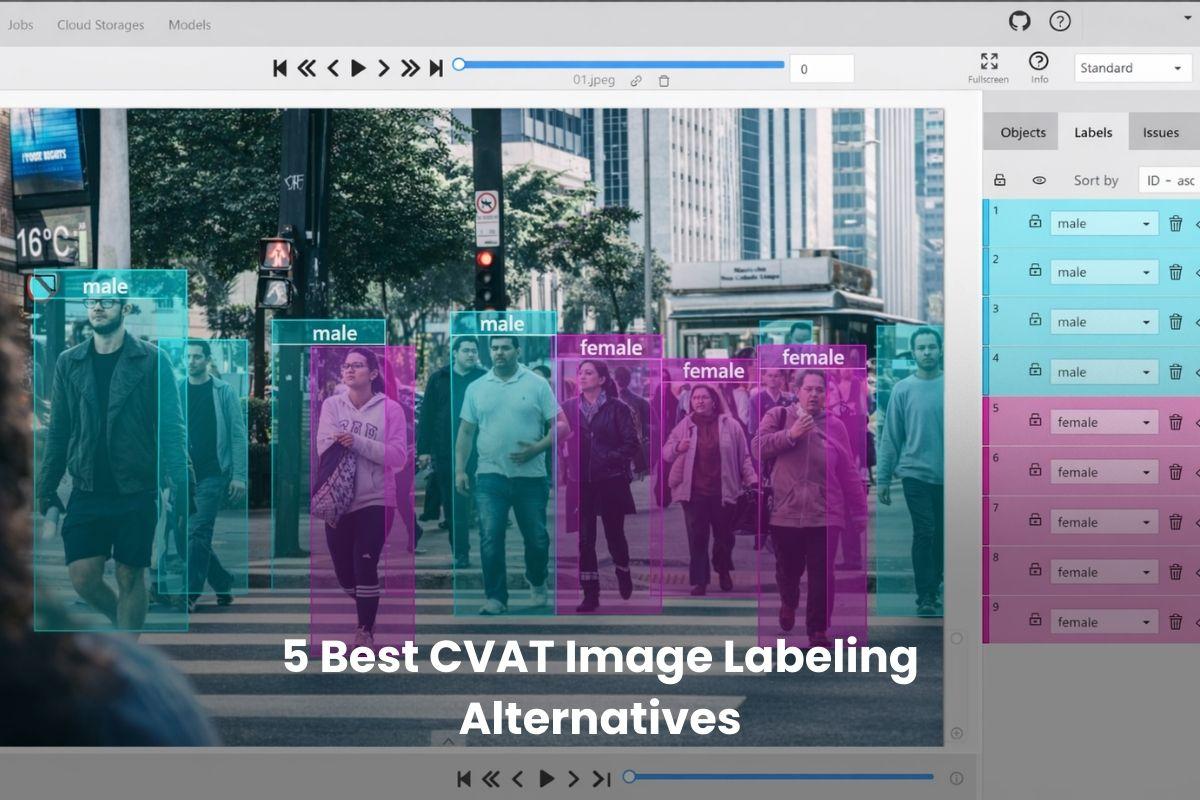



CVAT is a capable open-source tool for image and video annotation, with strong support for complex labeling and model-assisted workflows.
For some teams, that’s enough.
For others, day-to-day friction adds up: steep setup, limited workflow visibility, manual QA, and performance quirks at scale.
Those trade-offs are why CVAT often gets evaluated alongside other tools. We’ll look at the best CVAT alternatives for 2026, where they outperform CVAT, where they fall short, and how to choose the right fit.
Top 3 CVAT Alternatives
Best CVAT alternative for quality control and team workflows
VisionRepo
VIEW NOWBest CVAT alternative for AI-driven speed on complex vision data
V7 Darwin
VIEW NOWBest CVAT alternative for enterprise scale and multimodal pipelines
Labelbox
VIEW NOW1. VisionRepo
Best overall CVAT alternative for teams that care about label quality, collaboration, and scale
We’ll be upfront: VisionRepo is our product, and we’re placing it first deliberately. Not because it replaces CVAT feature-for-feature, but because it solves a set of problems that tend to push teams away from CVAT in the first place.
If CVAT feels powerful but heavy, VisionRepo is built to reduce friction once labeling becomes a team sport and quality starts to matter as much as speed.
Where VisionRepo stands out is consistency and workflow. Instead of treating annotation as a one-off task, it treats it as a system: ingestion, labeling, review, QA, and handoff. AI assistance is there to accelerate work, but humans stay firmly in control, with visibility into disagreements, review stages, and performance.
It’s particularly strong for image and video-heavy workflows where multiple annotators touch the same data and mistakes get expensive later.
That said, VisionRepo is not trying to be the most hackable open-source tool on the market. Teams that want to deeply customize pipelines at the code level or experiment with bespoke research setups may still prefer CVAT or other open tools.
VisionRepo is for teams who want to move faster with fewer operational headaches and cleaner datasets at the end.
Core Features
Pros
Cons
Pricing
Score: 4.8 / 5
View Now
2. V7 Darwin
Best for advanced automation and complex computer vision workflows
V7 Darwin is one of the most technically ambitious CVAT alternatives on the market.
It is built for teams that want to push automation as far as possible and are comfortable working inside structured, model-in-the-loop workflows. If CVAT feels flexible but manual, Darwin feels opinionated and highly optimized for speed, especially on complex data like medical imaging, long videos, or dense segmentation tasks.
Where Darwin really shines is automation depth. Tools like zero-shot segmentation, auto-tracking, and label-similarity detection can remove a huge amount of repetitive work when they are set up correctly. Reviewers working in healthcare, autonomous systems, and microscopy consistently point to higher-quality ground truth and faster turnaround compared to open-source tools.
That comes with trade-offs, though. Darwin is not lightweight, and teams often mention a learning curve once workflows move beyond basic annotation. It is also worth noting that Darwin leans heavily toward enterprise and research-grade use cases.
If you want a polished platform with strong QA, reporting, and compliance out of the box, it delivers. If you want something you can spin up cheaply, tweak deeply, or self-host with minimal friction, CVAT or other tools may still feel more comfortable.
Core Features
Pros
Cons
Pricing
Score: 4.6 / 5
View Now
3. Encord
Best for multimodal teams that need active learning and deep workflow control
Encord sits somewhere between V7 Darwin and Labelbox in terms of philosophy. It is clearly built for technical teams, but it puts more emphasis on data quality loops and dataset curation than pure annotation speed.
If CVAT starts to feel brittle once projects grow, Encord feels deliberately engineered for scale, especially when data comes in many formats and needs to be revisited over time.
One of Encord’s strongest points is how it treats annotation as part of a larger data lifecycle. Active learning, outlier detection, versioning, and analytics are first-class features, not add-ons.
Teams working in medical imaging, robotics, or industrial inspection often point out that this makes it easier to focus human effort where it actually matters, rather than labeling everything uniformly. Compared to CVAT, the workflows are far more structured, but also far more informative once running.
The downside is complexity. Encord is not something most teams master on day one. Ontologies, workflows, and analytics take time to configure properly, and the free tier is fairly limited for serious evaluation.
For teams that want something simple or lightweight, it may feel like overkill.
For teams that need traceability, quality signals, and multimodal support at scale, it earns its place.
Core Features
Pros
Cons
Pricing
Score: 4.5 / 5
View Now
4. SuperAnnotate
Best for teams that want speed and human-in-the-loop quality at scale
SuperAnnotate sits firmly in the “platform plus people” camp. It is not just a labeling tool, but a full data operations environment that combines AI-assisted annotation with access to trained expert annotators.
For teams coming from CVAT, the biggest shift is how much of the operational burden gets abstracted away. Instead of stitching together tools, reviewers, and QA processes, SuperAnnotate provides an opinionated system that emphasizes throughput and consistency.
The platform performs particularly well on complex computer vision work. Features like superpixel-based segmentation and model-assisted labeling can dramatically reduce time spent on fine-grained masks, which is why it shows up often in autonomous systems, robotics, and industrial inspection workflows.
Reviewers frequently point out that quality stays high even as volumes increase, largely due to structured QA, consensus scoring, and benchmark datasets built into the workflow.
The trade-off is control and cost. SuperAnnotate is less appealing if you want to self-host, deeply customize everything, or experiment cheaply. Advanced workflows, MLOps integrations, and managed labeling services introduce a learning curve and a sales-led buying process.
For teams that value speed, reliability, and access to expert human labeling, those constraints are often acceptable.
Core Features
Pros
Cons
Pricing
Score: 4.3 / 5
View Now
5. Labelbox
Best for enterprise-scale teams and multimodal annotation beyond computer vision
Labelbox sits at a very different point in the market than CVAT. While CVAT is often evaluated as a tooling decision, Labelbox is usually a platform decision. It is designed for large AI teams that need to coordinate people, models, vendors, and quality signals across many projects at once, not just annotate images faster.
Its biggest strength is scale and control. Labelbox handles complex ontologies, hybrid human plus model workflows, and detailed performance tracking better than most alternatives.
Teams working across vision, text, audio, and GenAI workflows tend to appreciate having everything under one roof, especially when governance, audits, and benchmarks matter. Compared to CVAT, the experience feels far more managed, but also far less flexible at the edges.
That trade-off is important. Labelbox is powerful, but it can feel heavy for teams that only need image and video labeling. Ontology setup takes time, pricing is not transparent, and smaller teams often report that they are paying for capabilities they never fully use.
For organizations that need compliance, scale, and multimodal support, it makes sense.
For focused CV pipelines, it can be more than necessary.
Core Features
Pros
Cons
Pricing
Score: 4.1 / 5
View Now
Comparison: Best CVAT Alternatives
How To Choose The Right CVAT Alternative?
Choosing a CVAT alternative comes down to understanding where CVAT starts to slow you down, then matching that gap to the right kind of platform.
The tools below all solve real problems, but they solve different ones.
Automation & AI assistance
If you are moving beyond manual box drawing, automation matters fast.
Pre-labeling, auto-tracking, and model-in-the-loop workflows can cut labeling time by 70–90% on irregular defects and long videos, where CVAT still relies heavily on human effort.
Compared to CVAT, all five significantly reduce manual work, but Darwin and SuperAnnotate push automation the furthest for complex segmentation and video-heavy pipelines.
Scalability & Collaboration
CVAT works, but it starts to feel single-user once datasets grow.
Review queues, QA gates, performance tracking, and parallel collaboration become essential once you cross tens of thousands of frames.
All five outperform CVAT here, but enterprise platforms shine when multiple teams or vendors touch the same data. VisionRepo stands out for structured review and consistency without enterprise bloat.
Annotation Types & Data Formats
Not all CV workloads are equal. Industrial inspection often needs precise polygons and masks. Medical or robotics teams may need DICOM, superpixels, or advanced video handling.
CVAT covers basics well, but these platforms go further with pixel-accurate tools, better video context, and richer format support.
Pricing & Deployment Trade-Offs
CVAT looks free on paper, but self-hosting, maintenance, and lost time add up. SaaS platforms shift cost from engineering time to subscription fees, which can be easier to justify at scale.
All five avoid CVAT’s infrastructure overhead. The real question is whether you want predictable SaaS pricing or are willing to trade money for operational simplicity.
Integrations & Compliance
Once labeling feeds directly into training and deployment, APIs, SDKs, and compliance stop being optional. This is especially true in manufacturing environments with regulated data flows.
Every option here is more production-ready than CVAT, but enterprise tools lead on governance and auditability.
Ease Of Use / Support
CVAT rewards power users but can slow down mixed-skill teams. UI clarity, documentation, and support affect adoption more than most teams expect.
All five reduce CVAT’s setup friction, but complexity rises with flexibility.
Is CVAT Slowing Down Your Pipeline?
Label faster with visibility, reviews & fewer fixes.
Frequently Asked Questions
Is CVAT still a good choice for small or experimental projects?
Yes. CVAT can work well for small teams, research experiments, or short-term projects where setup cost matters more than speed, QA, or collaboration.
Do CVAT alternatives lock you into proprietary formats?
Most leading CVAT alternatives support standard exports like COCO and YOLO, which reduces lock-in and keeps downstream model training flexible.
Can I mix internal annotators with external labeling vendors?
Yes. Platforms like VisionRepo, Labelbox, Encord, and SuperAnnotate are designed to support hybrid teams, combining in-house reviewers with managed or third-party annotators.
How hard is it to migrate from CVAT to another tool?
Migration is usually manageable. Most teams export CVAT annotations, map class taxonomies, and re-import into the new platform with minimal rework.
Conclusion
CVAT is still a solid tool, but as soon as projects grow, teams grow, or quality starts to matter downstream, its limits show up fast. That’s why the best CVAT alternatives lean into automation, review workflows, and visibility.
The right choice depends on where CVAT slows you down today and what you need tomorrow.
If you’re ready to move past manual workflows, hidden rework, and fragile handoffs, get started with VisionRepo for free and move toward faster labeling, cleaner datasets, and workflows that scale with you.