Video segmentation used to be slow, clunky, and hard to scale. Now it’s powering everything from automated defect detection to real-time AR overlays.
The hard part, though, is figuring out what approach works for your use case – and how to choose between the dozens of models, methods, and tools out there.
We’ll break it all down: types, techniques, challenges, trade-offs, and what’s worth your time.
Key Notes
There are 3 main types: temporal (timeline), semantic (pixel classification), instance (object tracking).
Real-time prioritizes speed for live applications; offline maximizes accuracy for recorded video.
VisionRepo, SAM 2, XMem, and Track-Anything lead 2026’s most effective segmentation tools.
What Is Video Segmentation?
Video segmentation is the process of dividing a video into meaningful parts so a system can interpret, search, or act on it.
Those parts can be:
Time segments (shots, scenes, events)
Pixel regions (every pixel labeled by class)
Object instances (this specific part, this specific tool, tracked across frames)
Unlike Image Segmentation…
Video segmentation has to stay coherent over time.
That adds real friction:
Objects move, rotate, and change appearance
Occlusions happen (forklift behind a pallet, hand in front of a part)
Lighting flickers and exposure shifts
Scene changes break continuity
Main Types of Video Segmentation
Type
What It Segments
Use Case
Techniques
Temporal
Video timeline
Scene indexing, shot detection
Histogram diff, ML models
Semantic
Pixels by class
AVs, AR, medical imaging
CNNs, U-Net, Mask R-CNN
Instance
Specific objects
Tracking, VFX, surveillance
VisTR, SAM2, XMem
Temporal Segmentation
Temporal video segmentation splits a video into meaningful time chunks – usually shots or scenes. If you’ve ever scrubbed a long video and wished you could jump straight to “the moment the machine jammed,” that is the point.
Common signals used in temporal segmentation:
Sudden frame-to-frame changes (hard cuts)
Gradual transitions (fades)
Audio or motion shifts (for event-style segmentation)
Where it shows up:
Media search and indexing
Manufacturing incident review
Surveillance clip triage
Dataset pre-processing (cutting long streams into trainable chunks)
Semantic Segmentation
Semantic video segmentation labels every pixel in each frame by class.
It answers “what is this pixel?” rather than “which specific object is this?”
Example outputs:
road vs sidewalk vs lane line
product vs background vs conveyor
tissue type vs instrument vs fluid
Why semantic segmentation matters:
It gives a scene-level map you can reason about
It supports consistent safety and context rules
It is often easier to deploy than instance tracking when identity is not required
Instance-Level Segmentation
Instance-level video segmentation (often called video object segmentation) identifies and tracks specific objects across frames.
This is the one that gets messy fast because it needs to maintain identity through:
occlusions
motion blur
shape change
objects that look similar
Typical use cases:
robotics manipulation (track a part as it moves)
surveillance (track a person through a corridor)
sports analytics (track players)
VFX and post-production (extract subject across clips)
If your use case involves video classification segmentation (for example, “classify this clip and segment the object that caused the alert”), instance-level segmentation is usually part of the stack.
How Does AI Power Modern Video Segmentation?
Modern AI video segmentation is less about hand-written rules and more about learning patterns across both space and time.
You’ll see a few practical capabilities show up across the best models in 2026:
Promptable segmentation (click a point, draw a box, get a mask)
Zero-shot segmentation (segment objects without training for that specific object)
Streaming memory (carry useful information forward so masks do not flicker)
This is why video segmentation is finally usable at scale.
The model is doing more of the “keep it consistent” work instead of pushing everything onto the labeling team.
Video Segmentation Methods & Techniques
Video segmentation methods vary a lot, but most fall into a handful of patterns. If you understand these, tool selection becomes way less confusing.
Frame-by-Frame Deep Learning
This approach segments each frame independently, then tries to connect masks across time.
Strengths:
High spatial detail
Simple deployment pattern
Trade-offs:
More flicker unless you add temporal smoothing
Identity drift over time in longer sequences
Temporal Modeling & Feature Fusion
Temporal modeling integrates information across frames so segmentation stays stable.
Common approaches:
transformers over frame sequences
feature fusion modules
memory networks that store object representations
Why teams use it:
Better temporal consistency
Less mask jitter
Motion-Based Object Tracking
This includes optical flow style reasoning or tracker-assisted segmentation.
Good for:
maintaining object identity
bridging short occlusions
Less good for:
big appearance changes
chaotic scenes with lots of similar objects
Semi-Automated Annotation & Human-in-the-Loop
This is where “video segmentation” meets reality. You need masks to train models, and you need a workflow that does not destroy your budget.
What works well:
label keyframes
interpolate in-betweens
use auto-tracking to propagate
review only where confidence drops
This is also where video segmentation software matters. Two teams can use the same model and get very different outcomes depending on how good the review workflow is.
Unified & Multi-Task Frameworks
Unified models support multiple segmentation modes (semantic, instance, sometimes panoptic) in one architecture.
Why teams like this:
fewer separate models to manage
more consistent tooling
easier deployment when you have mixed workloads
Real-Time vs Offline Segmentation
Real-Time Video Segmentation
Real-time video segmentation prioritizes speed so you can take action now. It often means smaller models, optimized inference, and less global context.
Offline Video Segmentation
Offline segmentation can “look ahead” and process multiple frames together, which usually improves:
mask quality
temporal consistency
object identity tracking
If your goal is dataset creation or post-production, offline wins most of the time.
Challenges in Video Segmentation
Even in 2026, video segmentation breaks in predictable ways. Here’s what to plan for.
Occlusion
Objects disappear behind other objects.
Good systems:
keep object memory
mark occluded states
re-identify reliably when the object returns
Motion Blur
Fast movement or low shutter speeds cause blur.
Practical mitigations:
train with blurred examples
use temporal smoothing
rely on memory features, not only edges
Scene Transitions
Cuts, fades, or sudden viewpoint changes can cause drift.
Production workflows often:
detect transitions
re-initialize segmentation
segment clips per scene before running instance tracking
Scale & Efficiency
Long videos are expensive.
You need choices:
sampling strategy
chunking and sliding windows
memory management
storage and governance of outputs
Top Video Segmentation Tools & Libraries (2026)
Here are tools and libraries that show up a lot in real workflows. Some are research-forward, some are production-friendly, and a few are both.
VisionRepo
VisionRepo is a unified platform for managing, labeling, and organizing image and video data for machine learning.
It combines AI-assisted annotation with workflow automation, quality control, and dataset analytics to help teams build production-ready training data faster.
Features
Centralized video and image repository with smart search and filtering
AI-assisted frame and object labeling with real-time collaboration
Multi-stage review workflows for consistent, high-quality annotations
200+ integrations with MES, QMS, and cloud storage systems
Built-in analytics for labeling performance and dataset quality
PaddleSeg is a versatile segmentation toolkit offering a wide range of pre-trained models and modular infrastructure for deploying segmentation workflows, including video applications.
No plan for occlusion: identity drift ruins tracking use cases
Forgetting deployment constraints: edge devices do not care about your SOTA paper
Under-evaluating: one metric, one dataset, and a false sense of security
Frequently Asked Questions
How does video segmentation handle multiple objects with overlapping movement?
Advanced models use memory mechanisms and object association techniques to distinguish and track overlapping instances across frames without identity confusion.
Can I use video segmentation on low-resolution or compressed footage?
Yes, but accuracy may drop. Preprocessing techniques and robust models trained on diverse datasets can help mitigate the quality loss.
What’s the difference between panoptic and instance segmentation in video?
Panoptic segmentation combines semantic and instance segmentation – it labels every pixel by category while distinguishing between object instances.
How do I choose between promptable and zero-shot segmentation tools?
Promptable tools offer more control and precision, while zero-shot tools are faster for large-scale automation. The choice depends on annotation needs, accuracy targets, and available human input.
Conclusion
Video segmentation has come a long way from static frame analysis to AI-powered precision that can track, classify, and interpret motion in real time.
Today’s tools combine semantic understanding with temporal awareness, allowing teams to build data pipelines that serve everything from autonomous systems to quality inspection and medical imaging.
The best results come from choosing models that fit your accuracy, latency, and scalability needs – then pairing them with platforms that simplify annotation and data management.
If you’re ready to label, organize, and manage video data with less effort and more control, get started now with VisionRepo to build AI-ready datasets that actually scale.




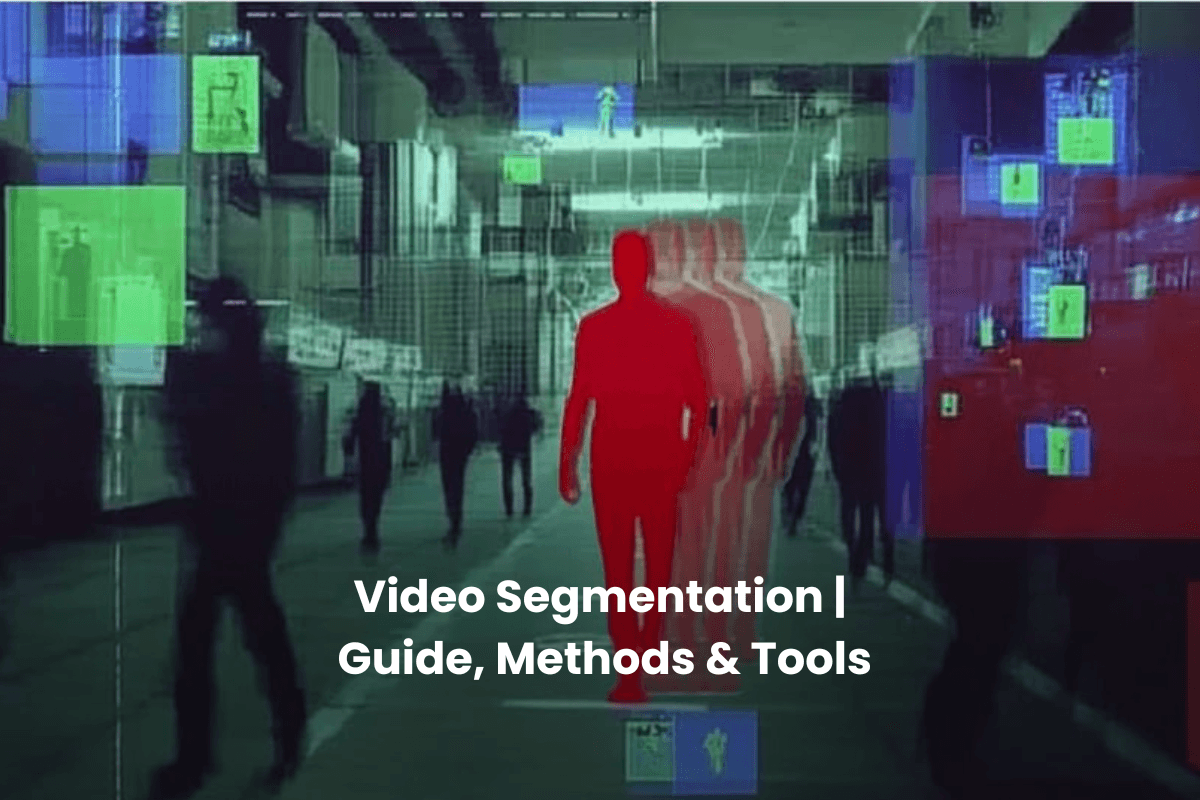


Video segmentation used to be slow, clunky, and hard to scale. Now it’s powering everything from automated defect detection to real-time AR overlays.
The hard part, though, is figuring out what approach works for your use case – and how to choose between the dozens of models, methods, and tools out there.
We’ll break it all down: types, techniques, challenges, trade-offs, and what’s worth your time.
Key Notes
What Is Video Segmentation?
Video segmentation is the process of dividing a video into meaningful parts so a system can interpret, search, or act on it.
Those parts can be:
Unlike Image Segmentation…
Video segmentation has to stay coherent over time.
That adds real friction:
Main Types of Video Segmentation
Temporal Segmentation
Temporal video segmentation splits a video into meaningful time chunks – usually shots or scenes. If you’ve ever scrubbed a long video and wished you could jump straight to “the moment the machine jammed,” that is the point.
Common signals used in temporal segmentation:
Where it shows up:
Semantic Segmentation
Semantic video segmentation labels every pixel in each frame by class.
It answers “what is this pixel?” rather than “which specific object is this?”
Example outputs:
Why semantic segmentation matters:
Instance-Level Segmentation
Instance-level video segmentation (often called video object segmentation) identifies and tracks specific objects across frames.
This is the one that gets messy fast because it needs to maintain identity through:
Typical use cases:
If your use case involves video classification segmentation (for example, “classify this clip and segment the object that caused the alert”), instance-level segmentation is usually part of the stack.
How Does AI Power Modern Video Segmentation?
Modern AI video segmentation is less about hand-written rules and more about learning patterns across both space and time.
You’ll see a few practical capabilities show up across the best models in 2026:
This is why video segmentation is finally usable at scale.
The model is doing more of the “keep it consistent” work instead of pushing everything onto the labeling team.
Video Segmentation Methods & Techniques
Video segmentation methods vary a lot, but most fall into a handful of patterns. If you understand these, tool selection becomes way less confusing.
Frame-by-Frame Deep Learning
This approach segments each frame independently, then tries to connect masks across time.
Strengths:
Trade-offs:
Temporal Modeling & Feature Fusion
Temporal modeling integrates information across frames so segmentation stays stable.
Common approaches:
Why teams use it:
Motion-Based Object Tracking
This includes optical flow style reasoning or tracker-assisted segmentation.
Good for:
Less good for:
Semi-Automated Annotation & Human-in-the-Loop
This is where “video segmentation” meets reality. You need masks to train models, and you need a workflow that does not destroy your budget.
What works well:
This is also where video segmentation software matters. Two teams can use the same model and get very different outcomes depending on how good the review workflow is.
Unified & Multi-Task Frameworks
Unified models support multiple segmentation modes (semantic, instance, sometimes panoptic) in one architecture.
Why teams like this:
Real-Time vs Offline Segmentation
Real-Time Video Segmentation
Real-time video segmentation prioritizes speed so you can take action now. It often means smaller models, optimized inference, and less global context.
Offline Video Segmentation
Offline segmentation can “look ahead” and process multiple frames together, which usually improves:
If your goal is dataset creation or post-production, offline wins most of the time.
Challenges in Video Segmentation
Even in 2026, video segmentation breaks in predictable ways. Here’s what to plan for.
Occlusion
Objects disappear behind other objects.
Good systems:
Motion Blur
Fast movement or low shutter speeds cause blur.
Practical mitigations:
Scene Transitions
Cuts, fades, or sudden viewpoint changes can cause drift.
Production workflows often:
Scale & Efficiency
Long videos are expensive.
You need choices:
Top Video Segmentation Tools & Libraries (2026)
Here are tools and libraries that show up a lot in real workflows. Some are research-forward, some are production-friendly, and a few are both.
VisionRepo
VisionRepo is a unified platform for managing, labeling, and organizing image and video data for machine learning.
It combines AI-assisted annotation with workflow automation, quality control, and dataset analytics to help teams build production-ready training data faster.
Features
View Now
SAM 2
SAM 2 is a unified image and video segmentation model designed for promptable, real-time, and zero-shot tasks.
It combines a flexible interface with fast inference and advanced memory handling for temporal consistency.
Features
View Now
OMG-Seg
OMG-Seg is a unified segmentation model that handles over 10 segmentation tasks within a single transformer-based framework.
It is designed to simplify deployment and improve efficiency across image and video workloads.
Features
View Now
Track-Anything
Track-Anything is an interactive segmentation tool that integrates tracking models with SAM to support hands-on segmentation workflows.
It enables users to select objects and maintain tracking across scenes and edits.
Features
View Now
XMem
XMem uses a biologically inspired memory model to segment objects in long videos.
It excels in managing object identity through occlusions and over extended sequences while maintaining efficiency.
Features
View Now
PaddleSeg
PaddleSeg is a versatile segmentation toolkit offering a wide range of pre-trained models and modular infrastructure for deploying segmentation workflows, including video applications.
Features
View Now
Ready To Train Smarter Vision Models?
Label, organize, and scale your video data with ease.
Applications of Video Segmentation
Video segmentation is deployed anywhere motion matters.
Common Applications
Many real systems blend video classification segmentation with segmentation.
For example, classify the clip as “defect event,” then segment the defect region and track it for root cause.
How To Evaluate Video Segmentation Models?
If you only evaluate a model on a single frame metric, you will miss what breaks in production.
Practical Evaluation Checklist
Generalization & Model Robustness
Robust video segmentation models hold up when conditions change.
Strategies that help:
Common Pitfalls to Avoid
Teams usually stumble in predictable places:
Frequently Asked Questions
How does video segmentation handle multiple objects with overlapping movement?
Advanced models use memory mechanisms and object association techniques to distinguish and track overlapping instances across frames without identity confusion.
Can I use video segmentation on low-resolution or compressed footage?
Yes, but accuracy may drop. Preprocessing techniques and robust models trained on diverse datasets can help mitigate the quality loss.
What’s the difference between panoptic and instance segmentation in video?
Panoptic segmentation combines semantic and instance segmentation – it labels every pixel by category while distinguishing between object instances.
How do I choose between promptable and zero-shot segmentation tools?
Promptable tools offer more control and precision, while zero-shot tools are faster for large-scale automation. The choice depends on annotation needs, accuracy targets, and available human input.
Conclusion
Video segmentation has come a long way from static frame analysis to AI-powered precision that can track, classify, and interpret motion in real time.
Today’s tools combine semantic understanding with temporal awareness, allowing teams to build data pipelines that serve everything from autonomous systems to quality inspection and medical imaging.
The best results come from choosing models that fit your accuracy, latency, and scalability needs – then pairing them with platforms that simplify annotation and data management.
If you’re ready to label, organize, and manage video data with less effort and more control, get started now with VisionRepo to build AI-ready datasets that actually scale.