Machine vision lighting is where inspection systems quietly succeed or slowly unravel.
A camera can be sharp, the algorithm can be solid, and results still fall apart because contrast shifts, glare creeps in, or shadows move just enough to matter.
Lighting decisions shape what is visible, what is missed, and how stable inspections stay over time. We’ll break down how machine vision lightning works, which choices matter most, and how to design illumination that holds up on real production lines.
Key Notes
Lighting geometry, angle, and wavelength determine defect visibility more than camera resolution.
Different inspection goals require different lighting techniques (not one universal setup).
Ambient light, heat, vibration, and contamination cause most real-world inspection instability.
Machine vision systems do not “see objects.” They see pixel values.
If the feature you care about does not show up with clean contrast in those pixels, no amount of resolution, lens quality, or post-processing will rescue it.
A helpful rule of thumb: When inspections get flaky, check lighting first.
What “Good” Lighting Means In Machine Vision
Good lighting is not universal. It is feature-specific.
The job is to maximize contrast for the feature you want, while minimizing contrast for everything else.
Practical acceptance criteria for a good setup:
High contrast on the target feature (defect, edge, mark, hole).
Minimal contrast on irrelevant areas (background texture, reflections).
Stable appearance across normal variation (part position, speed, minor drift).
Uniformity where it matters, or deliberately non-uniform when you are using geometry to highlight defects.
Core Lighting Variables That Control Image Quality
Most lighting issues boil down to a handful of controllable variables:
Angle (directionality)
Angle determines whether you get shadows, whether defects “pop,” and whether reflections become a problem.
Intensity
Intensity is about maintaining a clean signal without saturating.
Wavelength (color)
Different materials reflect and absorb wavelengths differently. The right wavelength can make your feature obvious.
Uniformity
Uniformity is critical when you need consistent measurements or consistent segmentation. Hotspots and falloff create fake gradients that the algorithm can mistake as real features.
Geometry
Geometry is the big one. It is the spatial relationship between light, part, and camera.
You can have the best light and still fail if the geometry is wrong.
Structure (light shape and pattern)
The physical form of the light changes what gets emphasized:
Lighting Geometry Explained
Geometry controls how light interacts with surfaces. This is where most “aha” moments happen in real projects.
On-Axis / Coaxial Lighting
Coaxial lighting aligns illumination with the camera’s optical axis, often using a beamsplitter.
Good for: flat, reflective surfaces where direct light creates blinding glare.
Trade-off: it can wash out raised features on uneven surfaces.
Low-Angle / Dark Field
Dark field lighting hits the part at a shallow angle. Flat areas stay dark, but edges and defects scatter light toward the camera.
Good for: burrs, dents, particles, micro-scratches.
Trade-off: not great for silhouettes or subsurface inspection.
Backlighting
Backlighting places the light behind the part to create a clean silhouette.
Good for: outline measurement, hole presence, cracks, fill levels.
Trade-off: surface texture disappears. You are inspecting shape, not surface.
Dome / Diffuse Lighting
Diffuse lighting uses a dome or diffuser to bounce light from many angles.
Good for: glossy or curved parts where directional light causes hotspots and glare.
Trade-off: it may reduce contrast for certain surface defects because it suppresses shadowing.
Off-Axis / High-Angle Lighting
Off-axis lighting places the light away from the camera axis at steeper angles.
Good for: enhancing contours, printed surfaces, and certain depth cues.
Trade-off: can create shadows that hide other features if not tuned.
Machine Vision Lighting Techniques By Inspection Type
Here is a quick mapping of common machine vision lighting techniques to inspection goals:
Choosing The Right Technique: A Decision Framework
Step 1: Identify The Feature Type
Surface defects (scratches, dents, contamination)
Edges and outlines (presence, alignment, holes)
Subsurface features (voids, internal defects, fill levels)
Step 2: Assess Surface Reflectivity
Matte or rough: bright field and low-angle can work well.
Shiny or specular: coaxial or diffuse usually wins.
Transparent: backlighting is often the starting point.
Step 3: Account For Geometry And Speed
Flat, stable presentation: you can use precise directional setups.
Curved or variable presentation: you need diffuse or tolerant geometries.
High speed: you may need strobing to freeze motion.
Front Lighting vs Backlighting vs Multi-Light Setups
This is a common choice point, so here is the clean split:
Backlighting
Is best when:
You care about shape, not surface texture.
You need sharp edges for gauging.
You are detecting holes, gaps, presence, or fill levels.
Front Lighting
Is best when:
You care about surface detail.
You are reading print, labels, or inspecting texture.
You need to detect scratches or dents on matte surfaces.
If you need both shape and surface defects, that is where multi-light setups start making sense.
When Multi-Light Setups Are Necessary
Single-light setups are simpler, cheaper, and easier to maintain. But they fail in a few common scenarios:
The part has multiple feature types (surface defect plus outline measurement).
The part presentation is inconsistent (rotation, variable orientation).
You need glare-free coverage and also edge enhancement.
Multi-Light Setups Often Use:
Independent LED zones
Software-triggered sequences
Different angles or wavelengths per capture
Trade-Offs:
More complexity in synchronization
Higher cost and power demands
More calibration and maintenance work
Wavelength Selection: How Color Creates Contrast
Wavelength is a powerful lever because materials respond differently.
Complementary colors can darken a feature and brighten the background.
Narrowband LEDs reduce chromatic shifts and can improve edge sharpness.
NIR can reveal internal structure in some plastics.
UV can highlight fluorescence from inks, residues, or contaminants.
You will often find the root cause faster than digging through model parameters.
LED Degradation & Maintenance
LEDs fade over time. They also shift color output.
A simple maintenance approach:
Baseline intensity at install.
Quarterly lux checks at the target plane.
Replace or recalibrate if output falls below ~80% of baseline.
Keep heatsinks under control to protect lifespan.
Scaling Lighting Across Multiple Lines
Scaling works best when you standardize.
Use modular lighting designs per inspection type
Use centralized control where possible
Document geometry, angles, working distances, and controller settings
Uniformity makes rollouts faster. It also makes troubleshooting dramatically easier.
A Repeatable Framework You Can Reuse
Here is the full workflow:
Define inspection targets and what must be suppressed.
Analyze material and surface interaction with light.
Select geometry first.
Choose wavelength and intensity.
Validate in production conditions.
Add controls for ambient interference and long-term drift.
Did Lighting Fix The Image, Not Decisions?
Add AI inspection without changing hardware or lights.
Frequently Asked Questions
Can machine vision lighting be standardized across different products on the same line?
Yes, but only to a point. Standardization works best when products share similar materials and inspection goals. For mixed SKUs, modular or multi-zone lighting allows reuse of hardware while adjusting angles or intensity per product.
How often should machine vision lighting be revalidated after installation?
At minimum, lighting should be checked during scheduled maintenance cycles or after any process change. In high-vibration or dirty environments, monthly visual checks and quarterly intensity measurements are more realistic.
Does better lighting reduce the amount of training data needed for AI models?
Absolutely. Clean, high-contrast images reduce label ambiguity and noise, which directly lowers the number of samples needed to reach stable model performance. Poor lighting almost always increases data requirements.
Is it better to overspec lighting upfront or tune it gradually in production?
Overspecifying controllability is usually smarter than oversizing brightness. Adjustable intensity, angle, and wavelength give you room to adapt as parts, speeds, or inspection criteria evolve without redesigning the station.
Conclusion
Machine vision lighting is not something you “set and forget.”
It’s a series of deliberate trade-offs that decide what the camera can see, what the algorithm can trust, and how stable inspections stay once the line is running at speed. Angle controls shadows. Wavelength controls contrast. Geometry decides whether defects show up or disappear.
Ignore any one of those and problems surface later as false rejects, missed defects, or constant tuning. Get them right and machine vision lightning becomes predictable, repeatable, and far easier to scale across stations and products.
If you already have stable images and want to turn that visibility into reliable defect detection, segmentation, and classification without changing cameras or lighting setups, Averroes lets you get started quickly on the equipment you already run. Get a free demo.




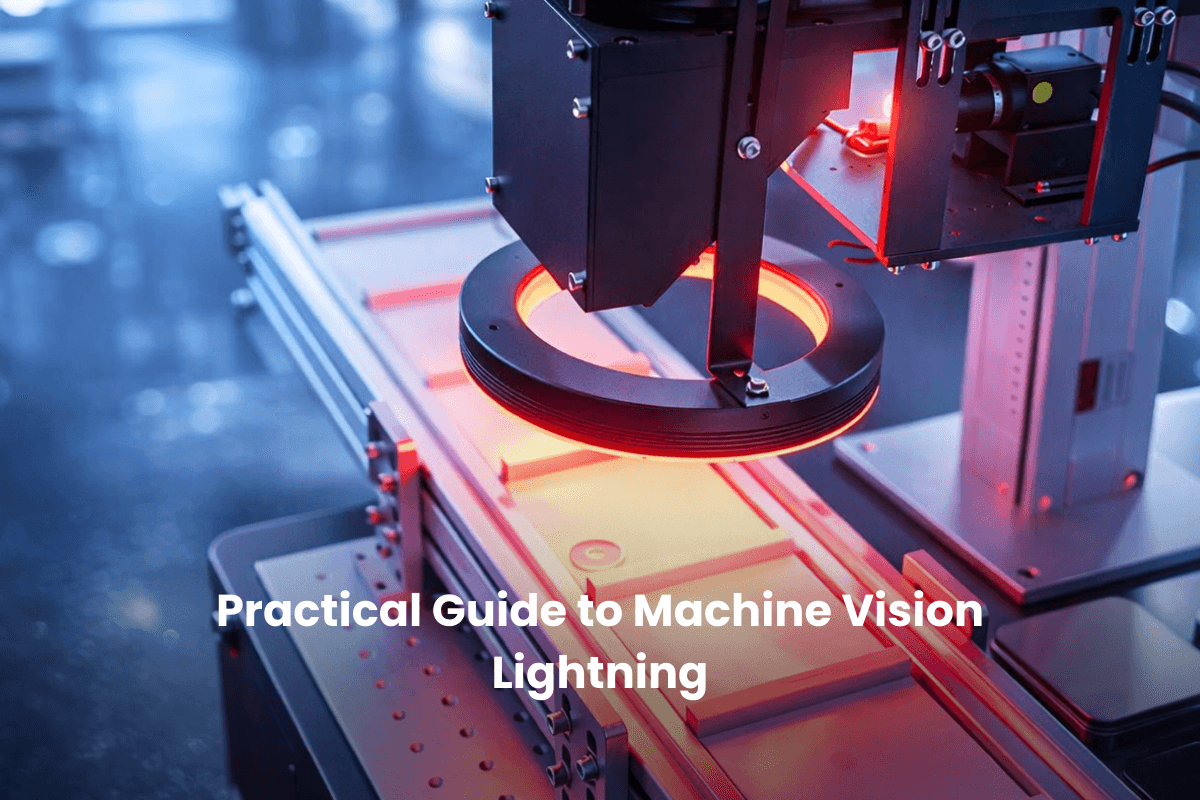


Machine vision lighting is where inspection systems quietly succeed or slowly unravel.
A camera can be sharp, the algorithm can be solid, and results still fall apart because contrast shifts, glare creeps in, or shadows move just enough to matter.
Lighting decisions shape what is visible, what is missed, and how stable inspections stay over time. We’ll break down how machine vision lightning works, which choices matter most, and how to design illumination that holds up on real production lines.
Key Notes
Why Machine Vision Lighting Determines Inspection Success
Machine vision systems do not “see objects.” They see pixel values.
If the feature you care about does not show up with clean contrast in those pixels, no amount of resolution, lens quality, or post-processing will rescue it.
A helpful rule of thumb:
When inspections get flaky, check lighting first.
What “Good” Lighting Means In Machine Vision
Good lighting is not universal. It is feature-specific.
The job is to maximize contrast for the feature you want, while minimizing contrast for everything else.
Practical acceptance criteria for a good setup:
Core Lighting Variables That Control Image Quality
Most lighting issues boil down to a handful of controllable variables:
Angle (directionality)
Angle determines whether you get shadows, whether defects “pop,” and whether reflections become a problem.
Intensity
Intensity is about maintaining a clean signal without saturating.
Wavelength (color)
Different materials reflect and absorb wavelengths differently. The right wavelength can make your feature obvious.
Uniformity
Uniformity is critical when you need consistent measurements or consistent segmentation. Hotspots and falloff create fake gradients that the algorithm can mistake as real features.
Geometry
Geometry is the big one. It is the spatial relationship between light, part, and camera.
You can have the best light and still fail if the geometry is wrong.
Structure (light shape and pattern)
The physical form of the light changes what gets emphasized:
Lighting Geometry Explained
Geometry controls how light interacts with surfaces. This is where most “aha” moments happen in real projects.
On-Axis / Coaxial Lighting
Coaxial lighting aligns illumination with the camera’s optical axis, often using a beamsplitter.
Low-Angle / Dark Field
Dark field lighting hits the part at a shallow angle. Flat areas stay dark, but edges and defects scatter light toward the camera.
Backlighting
Backlighting places the light behind the part to create a clean silhouette.
Dome / Diffuse Lighting
Diffuse lighting uses a dome or diffuser to bounce light from many angles.
Off-Axis / High-Angle Lighting
Off-axis lighting places the light away from the camera axis at steeper angles.
Machine Vision Lighting Techniques By Inspection Type
Here is a quick mapping of common machine vision lighting techniques to inspection goals:
Choosing The Right Technique: A Decision Framework
Step 1: Identify The Feature Type
Step 2: Assess Surface Reflectivity
Step 3: Account For Geometry And Speed
Front Lighting vs Backlighting vs Multi-Light Setups
This is a common choice point, so here is the clean split:
Backlighting
Is best when:
Front Lighting
Is best when:
If you need both shape and surface defects, that is where multi-light setups start making sense.
When Multi-Light Setups Are Necessary
Single-light setups are simpler, cheaper, and easier to maintain. But they fail in a few common scenarios:
Multi-Light Setups Often Use:
Trade-Offs:
Wavelength Selection: How Color Creates Contrast
Wavelength is a powerful lever because materials respond differently.
Lighting & Sensor Selection: Monochrome vs Color
Sensor choice affects illumination strategy.
Ambient Light: The Quiet Source Of Drift
Factory environments introduce uncontrolled variables:
If ambient light changes, your pixel values change, and your inspection thresholds shift.
Practical Strategies To Control Ambient Interference
Common solutions:
These are often the difference between a demo that works and a system that survives production.
Diagnosing Machine Vision Lighting-Related Failures
You will often find the root cause faster than digging through model parameters.
LED Degradation & Maintenance
LEDs fade over time. They also shift color output.
A simple maintenance approach:
Scaling Lighting Across Multiple Lines
Scaling works best when you standardize.
Uniformity makes rollouts faster. It also makes troubleshooting dramatically easier.
A Repeatable Framework You Can Reuse
Here is the full workflow:
Did Lighting Fix The Image, Not Decisions?
Add AI inspection without changing hardware or lights.
Frequently Asked Questions
Can machine vision lighting be standardized across different products on the same line?
Yes, but only to a point. Standardization works best when products share similar materials and inspection goals. For mixed SKUs, modular or multi-zone lighting allows reuse of hardware while adjusting angles or intensity per product.
How often should machine vision lighting be revalidated after installation?
At minimum, lighting should be checked during scheduled maintenance cycles or after any process change. In high-vibration or dirty environments, monthly visual checks and quarterly intensity measurements are more realistic.
Does better lighting reduce the amount of training data needed for AI models?
Absolutely. Clean, high-contrast images reduce label ambiguity and noise, which directly lowers the number of samples needed to reach stable model performance. Poor lighting almost always increases data requirements.
Is it better to overspec lighting upfront or tune it gradually in production?
Overspecifying controllability is usually smarter than oversizing brightness. Adjustable intensity, angle, and wavelength give you room to adapt as parts, speeds, or inspection criteria evolve without redesigning the station.
Conclusion
Machine vision lighting is not something you “set and forget.”
It’s a series of deliberate trade-offs that decide what the camera can see, what the algorithm can trust, and how stable inspections stay once the line is running at speed. Angle controls shadows. Wavelength controls contrast. Geometry decides whether defects show up or disappear.
Ignore any one of those and problems surface later as false rejects, missed defects, or constant tuning. Get them right and machine vision lightning becomes predictable, repeatable, and far easier to scale across stations and products.
If you already have stable images and want to turn that visibility into reliable defect detection, segmentation, and classification without changing cameras or lighting setups, Averroes lets you get started quickly on the equipment you already run. Get a free demo.